






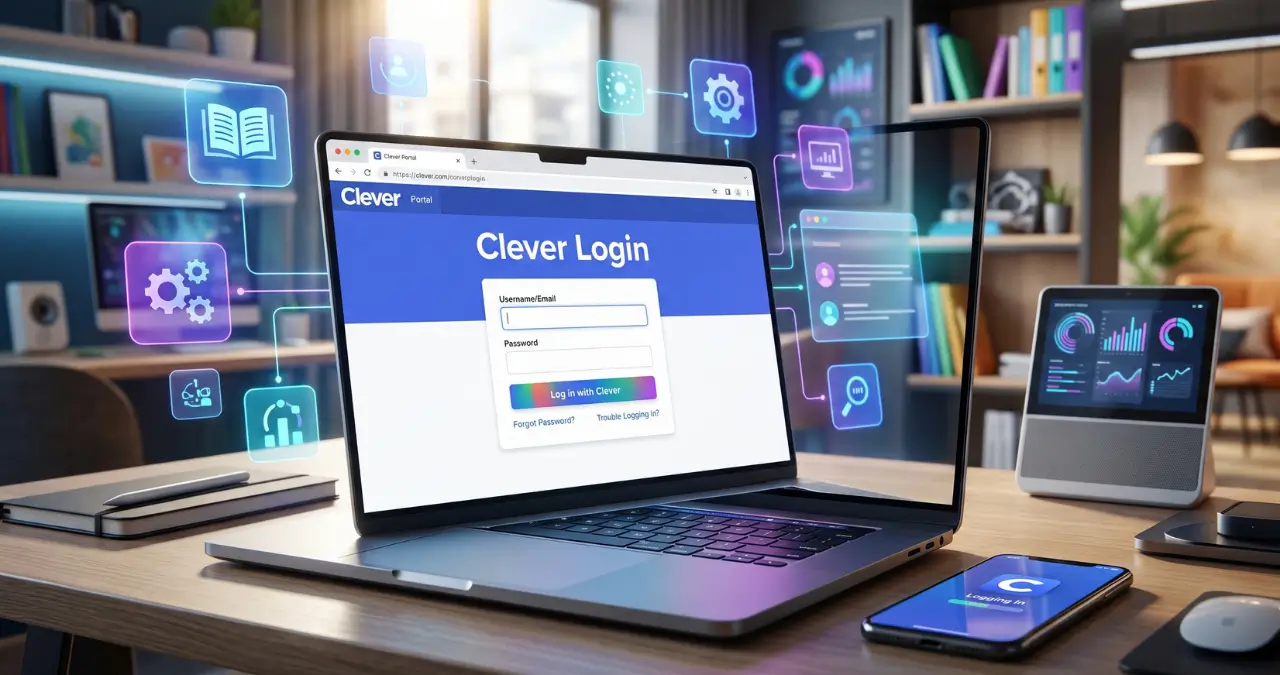
If you are searching for clever login, you are probably trying to access your school’s Clever Portal and the learning apps connected to it. Clever provides students, teachers, and staff with one secure place to sign in and reach supported educational resources.
The important point is that Clever does not use one universal school username and password for everyone. Your school or district determines how you sign in, so the available options can differ from one Clever Portal to another.
What Is Clever Login?
Clever Login is the sign-in process used to access a school or district’s Clever Portal. Once signed in, students and teachers can access compatible educational applications through single sign-on rather than entering separate credentials for every service.
Clever is an education-focused identity and access platform. Schools connect it with their student information systems and supported learning applications so users can receive a personalized collection of resources.
For example, a student might sign in to Clever and see the applications assigned by their school or teacher. A teacher may also have access to Teacher Pages, classroom resources, and other tools.
The exact apps you see depend on what your school has connected to Clever. That means two students in different districts can have noticeably different Clever Portals even though both use the same Clever service.
Clever Login for Students
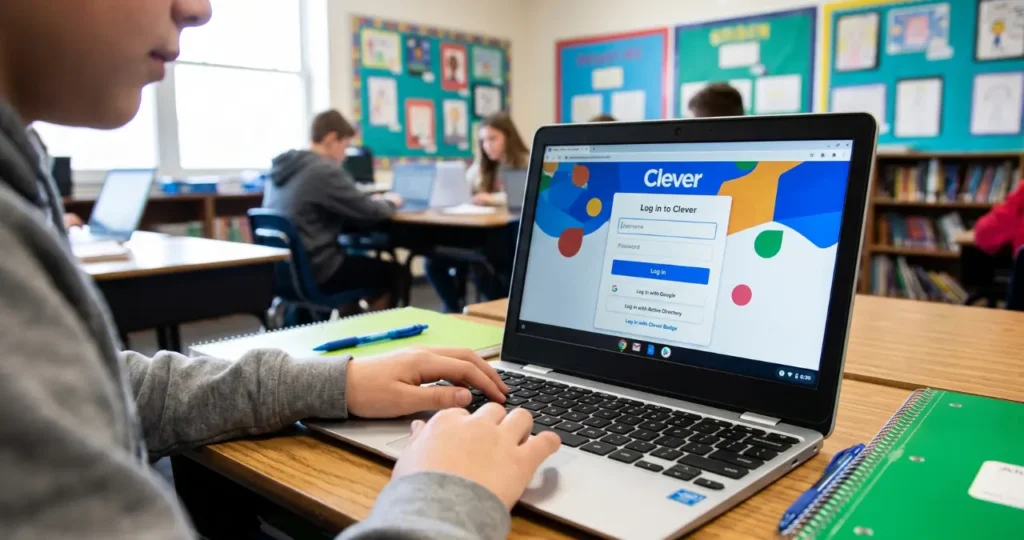
Students generally access Clever through their school’s personalized Clever Portal. Depending on the district, students may sign in with a school username and password, Google, Microsoft credentials, or a Clever Badge.
How to Log In to Clever as a Student
- Open your school or district’s Clever Portal.
- Select the login method provided by your school.
- Enter your school credentials if requested.
- Complete any additional authentication step your school requires.
- After signing in, select the learning application you need.
Some districts provide a custom Clever address, while others direct students through a school website or another established login process.
If you do not know your school’s Clever Portal address, ask your teacher, school technology department, or district administrator. Clever itself does not provide one set of credentials that works for every student.
Can Students Use Clever at Home?
Yes. Clever provides resources specifically for families using the platform at home. Students can use their school’s Clever Portal from home to reach learning applications that their school has made available.
A useful distinction is that Clever access and app access are not always identical. An application may support Clever single sign-on, while another resource may still require additional credentials or a different login process.
Clever Login for Teachers and Staff
Teachers and staff can use Clever to access school-approved digital resources from a centralized portal. Their login method depends on the school or district configuration, and some portals provide options such as Google, Microsoft, or district credentials.
Teachers can also receive additional Clever features that help organize digital classrooms. Clever describes Teacher Pages as a way to organize applications, links, and PDFs for specific classes.
If you are a teacher and cannot access your district’s Clever account, the best first step is usually to contact your school or district administrator. Clever specifically directs teachers who want to use Clever in their district to work through their district or school administrator.
Clever Login With a Clever Badge
A Clever Badge is an alternative login method that lets eligible students sign in without manually typing a username and password. The student uses the Badge with a computer camera, where supported by the school’s setup.
Clever says Badges are designed to make student logins particularly quick, and its teacher resources describe them as a way for students to access resources without typing credentials.
Badges can be especially useful with younger students who may have difficulty remembering or entering passwords.
However, a Badge is not automatically available to every Clever user. The school or district must configure and provide the feature.
How Clever Login Works With Single Sign-On
Clever uses single sign-on, or SSO, to reduce the number of separate credentials users need for supported educational applications. After signing into Clever, users can select connected resources from their personalized portal.
This is one of the main reasons schools use Clever. Instead of asking students to remember many different usernames and passwords, a school can centralize access through one platform.
The experience can look simple from a student’s perspective:
School account → Clever Portal → Learning application
Behind that simple process, the school controls which resources and accounts are available to the user.
Clever also connects with school student information systems. This allows districts to manage identities and application access as student and class information changes.
Clever Login Not Working? Try These Fixes
If Clever Login is not working, first confirm that you are using the correct school portal and the login method provided by your district. Many login problems come from using the wrong credentials, the wrong portal, or an account that has not been configured correctly by the school.
Try these steps:
1. Check Your School’s Clever Portal
Do not assume that every district uses the same login page. Your school may have a customized Clever Portal address.
Check your school website, student instructions, or contact your teacher for the correct address.
2. Verify Your Username and Password
Make sure Caps Lock is not enabled and that you are entering the credentials provided by your school.
If your district uses Google or Microsoft authentication, use the appropriate school account rather than a personal account.
3. Try the Correct Login Option
A Clever Portal may display different choices for different users. Examples can include Google login, Microsoft login, school credentials, or a Clever Badge.
Selecting the wrong option can prevent successful authentication even when your password is correct.
4. Check Whether Your Account Is Active
If your credentials worked previously but suddenly stopped working, your school may need to check your account or roster information.
Clever relies on information supplied through school systems, so some account or class-access problems may need to be resolved by the district rather than by the student.
5. Contact Your School
If the problem continues, contact your teacher, school technology department, or district administrator. This is particularly important when you receive an account, roster, or access-related error.
Clever Login vs. Direct App Login
Clever Login is different from logging directly into an educational application. Clever can act as the central authentication point for supported applications, while the individual application may still have its own account and access requirements.
| Login method | What you do | Best for |
|---|---|---|
| Clever Portal | Sign into Clever and choose an app | Centralized school access |
| Clever Badge | Use a school-provided Badge | Students who need a quick login |
| Google/Microsoft | Authenticate through a school account | Districts using those identity systems |
| Direct app login | Sign into the application separately | Apps or accounts not using Clever SSO |
This distinction explains why clicking an application inside Clever does not always mean the app will open automatically. The school determines how each connected resource is configured.
Is Clever Login Safe?
Clever is designed as an identity and access platform for education, with security and data-access controls intended for school environments. Clever says its platform allows schools to control access to student information and connected applications.
Clever also states that its single sign-on approach can reduce the number of usernames and passwords students need to manage, which can reduce exposure from maintaining many separate credentials.
Still, students and parents should follow normal account-security practices. Never share your school password or Clever credentials with another person, and always log out when using a shared computer.
For families with multiple students using the same device, Clever recommends ensuring one child is properly logged out before another child signs in.
Clever Login for Parents and Guardians
Parents do not necessarily use the same Clever login method as their children. Clever provides a separate family experience, and parents may need an invitation from their child’s school district to use Clever Parents.
If your child cannot log in, Clever provides family resources that explain how parents can help with student access.
The important thing is not to create a random Clever account and expect it to connect automatically to your child’s school. Parent access depends on the district’s setup and invitation process.
What Apps Can You Access Through Clever?
The applications available through Clever depend on the resources selected and configured by your school or district. Clever describes its Portal as a centralized location for digital resources and says it supports single sign-on for thousands of resources.
This can include learning platforms, digital textbooks, classroom tools, assessment resources, and other education applications.
Your Clever Portal is therefore best understood as a personalized school resource hub, not as a universal app store. The applications shown to you can depend on your identity, school, class, and the access permissions assigned by administrators or teachers.
Frequently Asked Questions About Clever Login
1. What is the Clever login website?
There is not one universal school login page that works identically for every district. Schools can provide personalized Clever Portal addresses, so students should use the portal supplied by their school or district.
2. How do I log into Clever as a student?
Open your school’s Clever Portal and select the login method your district provides. You may use school credentials, Google, another identity provider, or a Clever Badge depending on your school’s configuration.
3. Can I use Clever from home?
Yes. Clever provides home-login resources for students and families, allowing students to access school-approved digital learning resources outside the school building.
4. What if I forgot my Clever password?
Your next step depends on who manages your credentials. If the password belongs to your school account, contact your teacher or school technology department for assistance rather than assuming you can reset it through a universal Clever password page.
5. Why can’t I see an app in Clever?
The app may not have been assigned to your account, class, or school. Clever creates personalized portals, so users do not necessarily see every application available through the platform.
6. Can teachers use Clever?
Yes. Teachers can use Clever to access connected educational resources and may also have tools such as Teacher Pages, Clever Library access, analytics, and troubleshooting features, depending on their district’s setup.
7. What is a Clever Badge?
A Clever Badge is a school-provided login method that allows eligible students to sign in using a Badge and computer camera rather than typing a username and password.
8. Does Clever replace every school login?
No. Clever can provide single sign-on for supported applications, but not every resource necessarily uses the same authentication method. Some applications can require separate credentials or additional steps.
9. Can parents log into Clever?
Parents can use Clever’s family services when their school district supports them and provides the required invitation. Parent access is separate from simply using a child’s student credentials.
10. Who should I contact if Clever Login still does not work?
Start with your teacher, school technology team, or district administrator. They can verify your account, school assignment, login method, and application access. Clever also provides support resources for schools and educators.