








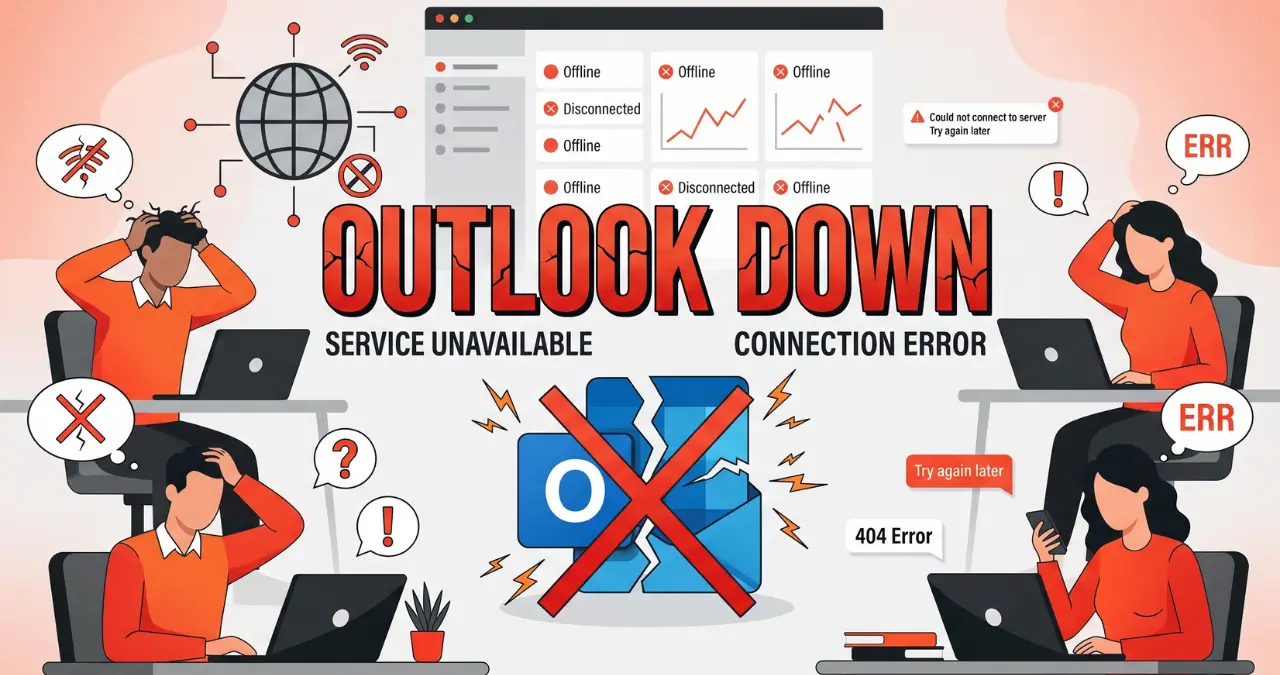
Is Outlook down right now, or is the problem limited to your account, device, or internet connection? When Outlook stops sending emails, refuses to load, or repeatedly asks you to sign in, the cause can range from a temporary Microsoft service issue to a local configuration problem.
This guide explains how to check whether Outlook is experiencing an outage, identify the difference between a widespread disruption and an individual problem, and troubleshoot common Outlook issues on the web, Windows, Mac, iPhone, and Android.
Is Outlook Down Right Now?
If Outlook is not working, first determine whether Microsoft is experiencing a service disruption. A widespread outage usually affects many users at the same time, while a problem affecting only one device or account is more likely to be local.
Microsoft provides official service-status information through the Microsoft 365 admin center for organizations with access to it. Individual users can also check Microsoft’s official support channels and independent outage-reporting services for signs of a broader disruption.
When checking an Outlook outage, look for several symptoms occurring together:
- Outlook.com fails to load.
- Users cannot sign in.
- Emails remain stuck in the Outbox.
- New messages do not arrive.
- Outlook repeatedly disconnects.
- The mobile or desktop app stops synchronizing.
- Multiple Microsoft services appear affected.
A single failed email does not necessarily mean Outlook is down. Your internet connection, account settings, storage, browser, or recipient’s mail server could be responsible.
How to Check Outlook’s Status
The fastest approach is to compare Outlook across multiple devices or networks. If Outlook fails on your computer and phone while using different internet connections, a Microsoft-side problem becomes more plausible.
You can also check reports from other users on outage-monitoring websites. These reports can reveal sudden spikes in complaints, although they are not an official confirmation from Microsoft.
For business or school accounts, administrators may have access to Microsoft’s service health dashboard, which can provide more specific information about Microsoft 365 incidents.
Why Is Outlook Not Working?
Outlook can stop working for several different reasons, and the correct fix depends on the symptom. Common causes include Microsoft service problems, internet connectivity, incorrect credentials, browser issues, outdated applications, synchronization failures, and account-specific restrictions.
Before changing complicated settings, try a few simple checks.
First, open another website to confirm that your internet connection works. Then try Outlook in a different browser or on another device.
If Outlook works elsewhere, the problem probably isn’t a complete Microsoft outage. It may instead involve the original browser, app, device, or network.
Common causes include:
Internet Connection Problems
A weak or unstable connection can make Outlook appear unavailable. Webmail may load slowly, while desktop and mobile apps may remain disconnected.
Restarting your router or switching from Wi-Fi to mobile data can help determine whether the network is responsible.
Browser Problems
If Outlook.com works in one browser but not another, cached files, cookies, extensions, or browser settings may be interfering.
Try a private or incognito window first. If Outlook works there, disable extensions or clear the site’s stored browser data.
App Problems
The Windows, Mac, iOS, and Android versions of Outlook can experience problems that do not affect Outlook on the web.
An outdated app, corrupted local data, or synchronization error can cause messages to stop appearing even when the account itself is working.
Outlook Down or Just Not Receiving Emails?
If you can sign in to Outlook but new messages aren’t appearing, the issue may be more specific than an outage. Check your Junk Email folder, rules, blocked senders, mailbox storage, and synchronization status before assuming Microsoft is having a global problem.
Start by sending yourself a test message from another email account.
If the test message arrives, incoming mail is probably working. If it does not, investigate the mailbox and account more closely.
Check Junk and Deleted Folders
An email may have arrived but been automatically moved out of your Inbox. Check Junk Email, Deleted Items, Archive, and any custom folders.
Outlook rules can also automatically move incoming messages.
Check Mailbox Storage
Microsoft accounts have storage limits and restrictions that can affect email functionality. If your mailbox or Microsoft cloud storage reaches its applicable limit, certain services may behave differently.
Remove unnecessary emails and large attachments if storage is full.
Check Outlook Rules
Rules can move messages automatically based on the sender, subject, or other conditions.
If messages from one particular person are missing, inspect your Outlook rules before treating the problem as a Microsoft outage.
Outlook Not Sending Emails? Try These Fixes
When Outlook won’t send an email, first check whether the message is stuck in the Outbox. A message remaining there can indicate a connection, attachment, authentication, or synchronization problem.
Try sending a short message without an attachment. If that works, the original email may contain an attachment or content causing the problem.
Other useful checks include:
- Confirm that Outlook shows you as connected.
- Remove unusually large attachments.
- Check that the recipient’s address is correct.
- Restart Outlook.
- Try Outlook.com in a browser.
- Check whether other emails can be sent.
- Look for Microsoft service alerts if multiple features are failing.
If only one message refuses to send, the problem is unlikely to represent a complete Outlook down situation.
Outlook Login Problems
If Outlook keeps asking for your password or won’t let you sign in, the problem may involve your Microsoft account rather than Outlook itself. Account security checks, incorrect credentials, authentication issues, or organizational policies can all affect access.
Start by trying to sign in through Outlook.com using a browser.
If web login works but the desktop application does not, the account is probably accessible and the problem may be related to the application or stored credentials.
If you cannot sign in anywhere, use Microsoft’s official account-recovery and support options rather than repeatedly entering passwords.
Don’t Keep Guessing Your Password
Repeated unsuccessful login attempts can create additional security challenges. Instead, verify your credentials and use Microsoft’s account-recovery process when necessary.
For work or school accounts, contact your organization’s IT administrator if your account has been locked, disabled, or affected by company security policies.

Outlook App Not Working on Windows or Mac
When Outlook’s desktop application stops responding while Outlook.com continues working, restarting the application is the simplest first step. If that does not help, update the application and investigate account or profile problems.
Also check whether other Microsoft 365 applications are functioning.
If Word, Excel, Teams, or other Microsoft services are also experiencing problems, the issue may extend beyond Outlook.
If only Outlook is affected, try:
- Closing and reopening Outlook.
- Restarting the computer.
- Installing available Office or Outlook updates.
- Checking the account connection.
- Testing the account through Outlook.com.
- Removing and re-adding the account only when necessary.
Avoid deleting profiles or changing advanced account settings before establishing what is actually failing.
Outlook Not Working on iPhone or Android
If Outlook works in a browser but not on your phone, the mobile application may need to be refreshed or updated. Check your internet connection, update Outlook, restart the device, and verify that synchronization is enabled.
You can also sign out and sign back in if the application is behaving unexpectedly.
If Outlook stops synchronizing after a password change, the app may require you to authenticate again.
For Android and iPhone users, another useful test is opening Outlook.com in the mobile browser. If webmail works there, Microsoft’s email service is probably available and the issue may be isolated to the app.
What to Do During an Outlook Outage
During a confirmed or strongly suspected outage, there may be nothing you can change locally to restore the service. The best approach is to confirm the incident, avoid unnecessary account changes, and wait for Microsoft to resolve the underlying problem.
If you urgently need access to an existing message, try Outlook on another device or browser. However, if the problem affects Microsoft’s servers, changing passwords, reinstalling applications, or repeatedly restarting devices will not fix the server-side issue.
For businesses, administrators should monitor Microsoft’s official service-health information and communicate the impact to affected employees.
How Long Do Outlook Outages Last?
There is no universal duration for an Outlook outage. Microsoft service incidents can vary considerably depending on the underlying problem, affected infrastructure, and scope of the disruption.
Instead of relying on a fixed timeframe, monitor Microsoft’s service information and official updates.
Be cautious with social-media posts claiming that an outage will end at a specific time unless the information comes from Microsoft or another reliable source.
Outlook.com vs Outlook App: What’s the Difference?
Outlook.com is Microsoft’s web-based email service, while the Outlook applications provide email and productivity features through desktop and mobile software. Testing both can help identify where a problem originates.
For example, suppose Outlook.com works normally in Chrome but the Windows application cannot synchronize.
That points toward an application, account configuration, or local-device issue rather than a complete Outlook webmail outage.
The opposite can also happen. If Outlook.com fails while the application continues working with previously synchronized messages, the web service or browser connection may be involved.
This simple comparison is one of the most useful troubleshooting methods because it separates service availability from device-specific problems.
Outlook Down: Quick Troubleshooting Checklist
If Outlook is not working, follow these steps in order rather than changing multiple settings at once.
1. Check your internet connection.
Open another website and confirm that your connection is stable.
2. Test Outlook.com.
If you’re using the desktop or mobile app, try accessing your mailbox through a browser.
3. Test another device.
This helps determine whether the problem is local to your computer or phone.
4. Check Microsoft’s service information.
Look for an active Microsoft 365 or Outlook incident.
5. Check other Microsoft services.
If several Microsoft products are failing, the issue may be broader.
6. Restart Outlook.
Close the application completely and open it again.
7. Update the app.
Install available Outlook or Microsoft 365 updates.
8. Check folders and storage.
Look at Junk, Deleted Items, Archive, rules, and available mailbox storage.
9. Check your account.
If you cannot sign in anywhere, investigate your Microsoft account rather than the application.
10. Wait if the problem is confirmed server-side.
Repeatedly reinstalling Outlook will not resolve a Microsoft infrastructure outage.
Frequently Asked Questions
Is Outlook down right now?
The answer can change from minute to minute. Check Microsoft’s official service-health information where available and compare your experience with reports from other users before concluding that Outlook has a widespread outage.
Why is Outlook not working today?
Outlook may stop working because of a Microsoft service incident, internet problem, browser issue, application error, synchronization failure, or account problem. Testing Outlook on another device is a quick way to narrow down the cause.
How do I know if Outlook is down for everyone?
Try Outlook on multiple devices and networks and check Microsoft’s service-status information. A sudden increase in reports from multiple users can also indicate a wider outage.
Why is Outlook not receiving new emails?
Check your Junk Email, Deleted Items, Archive, rules, mailbox storage, and synchronization status. If other Microsoft services and Outlook features work normally, the issue may be limited to incoming mail.
Why won’t Outlook send my email?
An email can remain in the Outbox because of connectivity, synchronization, authentication, attachment, or account problems. Try sending a short message without an attachment to determine whether sending works generally.
Why can’t I log into Outlook?
Login problems can result from incorrect credentials, account security checks, authentication failures, or organizational restrictions. Test Outlook.com in a browser and use Microsoft’s account-recovery process if you cannot access the account.
Is Outlook down on Windows but working online?
Yes, that can happen. If Outlook.com works while the desktop application does not, the problem may be related to the app, local data, account configuration, or Windows environment rather than Microsoft’s email servers.
Why is Outlook not syncing on my phone?
Check your internet connection, update the Outlook app, restart the phone, and verify that the account remains authenticated. If Outlook.com works in your mobile browser, the issue may be isolated to the app.
Does restarting Outlook fix an outage?
Restarting Outlook can fix a local application problem, but it cannot repair a Microsoft server-side outage. Confirm the scope of the problem before repeatedly restarting or reinstalling the application.
Where can I check Outlook outage information?
For organizational Microsoft 365 accounts, administrators can use Microsoft’s service-health tools. Individual users can also check Microsoft’s support channels and reputable outage-reporting services for current reports.