





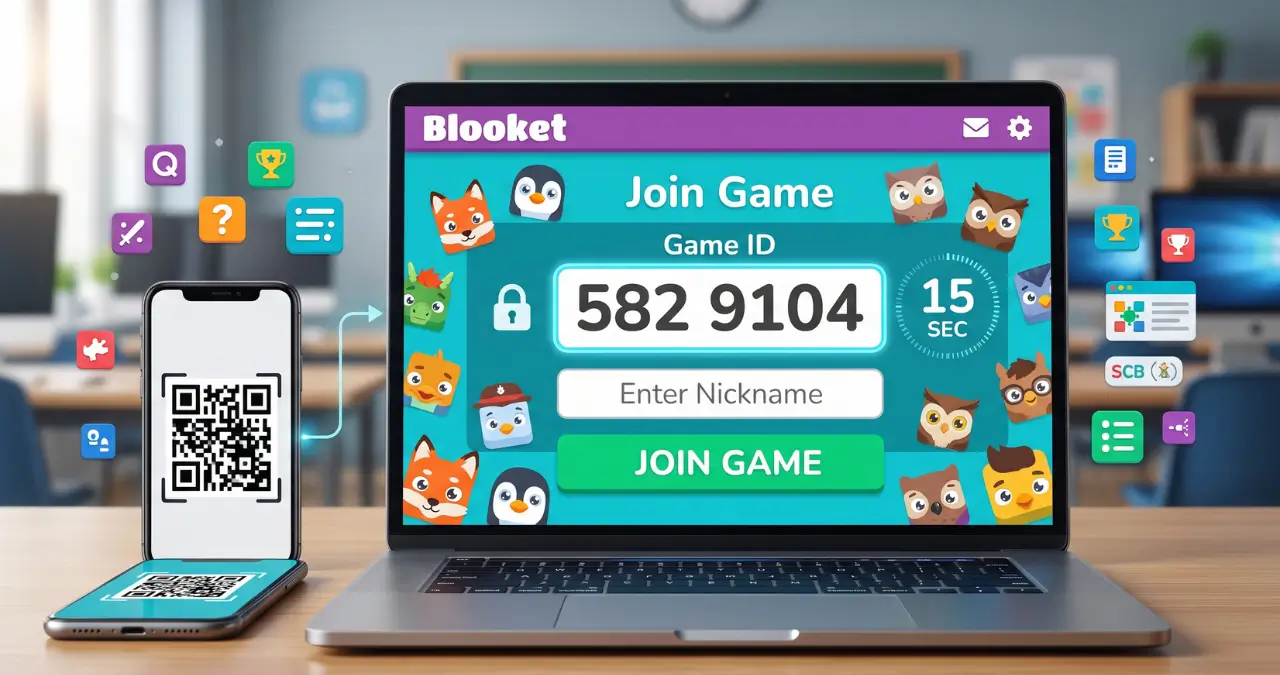
To join a Blooket Join Game, go to play.blooket.com, enter the 7-digit Game ID your host gave you, pick a nickname, and choose a Blook while you wait. No account, no download, and no email address required — the whole process takes under 30 seconds once you have the code.
That’s the short answer. But if you’ve ever sat there refreshing a page while a class full of students race ahead of you, you know the real question isn’t “what are the steps” — it’s “why isn’t this working right now.” So this guide covers both: the exact official process, and the specific things that go wrong when it doesn’t.
What Is a Blooket Join Game? (and Why the Join Step Feels Confusing)
Blooket is a free, browser-based platform where a host — usually a teacher — turns a set of review questions into a live, game-show-style match that players join from their own device. The confusion around joining comes from one simple fact: the main site, blooket.com, is not where you play. Typing “blooket” into a search bar and clicking the first result usually lands you on the marketing homepage or login screen, not the join screen, which is exactly why so many people end up stuck on the wrong page thirty seconds before class starts.
Blooket grew out of a small edtech project that launched publicly around 2020 and expanded quickly as schools shifted to remote and hybrid learning that year. Sourcing on the exact founding date and team varies across secondary write-ups, so treat any specific origin-story claim you see elsewhere with some caution — Blooket’s own help center doesn’t publish a formal company history page.
How to Join a Blooket Game: Step-by-Step
Joining a live game (the kind a teacher starts in real time, with everyone playing together) works the same way on a laptop, Chromebook, tablet, or phone.
- Go to play.blooket.com. This is Blooket’s dedicated join page, separate from the main site. Bookmark it if you join games often — it saves you the wrong-page problem every single time.
- Enter the 7-digit Game ID. This is the number your host displays on their screen. Digits only — no letters, dashes, or spaces.
- Type a nickname. If your host has “Use Random Names” turned on, Blooket assigns one automatically instead of letting you type your own.
- Pick a Blook. This is your in-game avatar character. You can change it while you’re waiting in the lobby.
- Wait for the host to start. Nothing happens on your end until the teacher or host clicks start — you’ll sit in the lobby with everyone else until then.
You don’t need a Blooket account for any of this. An account only matters if you want your points, coins, and personal Blook collection to save between games — in that case, log in at id.blooket.com before you enter the code, since logging in mid-game can interrupt the session.
3 Official Ways to Join a Blooket Game
According to Blooket’s own help documentation, there are three entry methods, and they all drop you into the exact same lobby — the difference is just how you get the Game ID into the system.
- Type the code at play.blooket.com — the most common method, used whenever a code is read aloud or written on a whiteboard.
- Scan a QR code with your phone or tablet camera — common in physical classrooms where the host projects a QR code instead of a number.
- Click a Join Link shared through email, a learning management system, or a messaging app — this skips the code entirely and opens the lobby directly.
If you’re on a phone, the QR method is usually fastest since it avoids typos entirely. If you’re on a shared classroom computer where the camera isn’t accessible, typing the code is more reliable.
Blooket Homework: How It Differs From a Live Game
This is the part most Blooket guides skip entirely, and it trips up more students than the live-game flow does. Blooket’s Homework feature — updated with a Mastery-focused flow in 2025 and 2026 — isn’t a synchronous, everyone-plays-at-once session. It’s a solo assignment with a deadline, and joining it works differently from joining a live game.
Homework is shared two ways: a QR code or a direct link, usually posted in an LMS, email, or projected on a classroom screen. Once you open it, you land on a Homework Details screen showing the assignment title, the teacher’s name, the due date, and — this is the part people miss — a Correct Goal: the number of questions you need to answer correctly before the assignment counts as complete. You don’t need an account to do homework, but logging in lets you earn XP and tokens and track your progress over time, which guest mode doesn’t offer.
After entering a nickname, you pick a solo game mode, and each mode preview shows its difficulty, the skills it practices, and roughly how long it takes — genuinely useful if you’re deciding which mode to knock out first when you’ve got four different Blooket assignments due the same week. Your remaining Correct Goal tracks in the top-right corner as you play, and you can switch modes mid-assignment using the checkered flag icon without losing progress, as long as you don’t close the tab or leave it inactive for too long — Blooket will make you restart from the link or QR code if you do.
“Invalid Game ID” and Other Common Join Errors
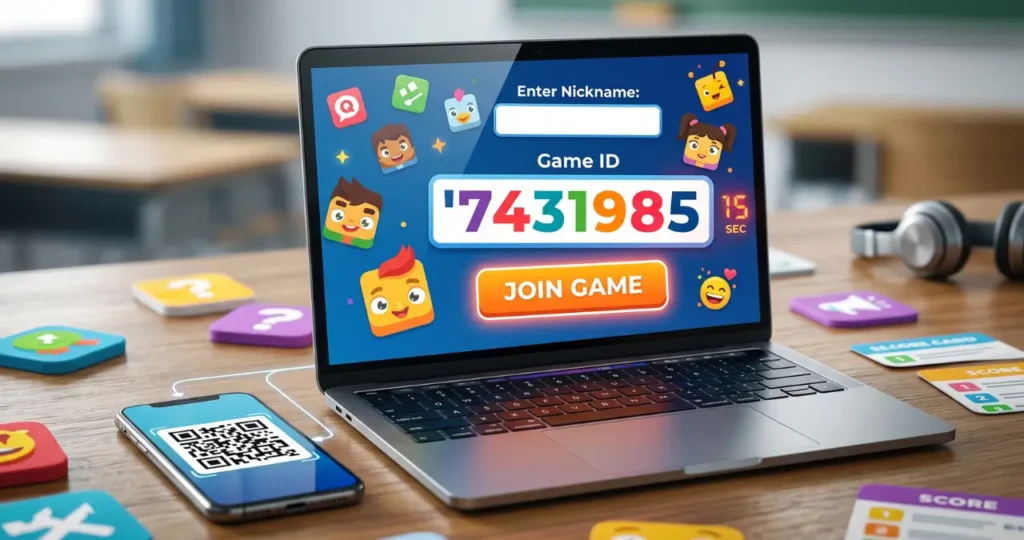
If your code isn’t working, it’s almost always one of four things, in order of how often they actually happen:
- The game hasn’t started yet, or has already ended. Game IDs are generated fresh each time a host clicks “Host,” and they stop working the moment that session closes. A code that worked five minutes ago in a different class won’t work now.
- A typo. The 7-digit code is easy to mistype under time pressure — a 6 read as an 8, or a digit skipped entirely. Re-read it directly off the host’s screen rather than from memory.
- You’re on the wrong page. Typing blooket.com and clicking around for a join button wastes time that play.blooket.com skips entirely.
- A full lobby or a network hiccup. Less common, but if the code is confirmed correct and current, a quick page refresh or switching from school Wi-Fi to a personal hotspot usually resolves it.
One thing worth knowing if you’re troubleshooting on a school network specifically: some school firewalls block gameplay assets even when the join page itself loads fine, so the lobby appears to “hang” after you enter a valid code. If refreshing doesn’t help and the code is confirmed correct, that’s a stronger sign of a network block than a Blooket-side problem, and it’s worth flagging to IT rather than assuming the code itself is bad.
Blooket Codes You Find Online (Should You Use Them?)
You’ll find sites listing “active Blooket codes” to try without a teacher. Here’s the practical reality: because every code is tied to one specific, host-generated session, a code posted publicly is either already expired, or it drops you into a random stranger’s live game — not a curated experience, just whatever session happens to still be open. There’s no meaningful way to “collect” working codes the way you might collect Wordle answers, since they’re single-use and time-limited by design. If you want to play Blooket without a teacher’s code, Homework mode’s solo game selection or creating your own free account to host a self-paced game is the more reliable route than hunting for a live code that’s probably already dead.
Blooket vs. Kahoot: A Quick Join-Process Comparison
Since a lot of people searching for Blooket’s join process are comparing it against Kahoot, it’s worth a direct answer: both use a simple host-generated code entered on a separate join page (kahoot.it for Kahoot, play.blooket.com for Blooket), and neither requires a player account. The real difference isn’t the joining — it’s what happens after. Kahoot centers on a straightforward question-and-leaderboard format, while Blooket wraps each correct answer into a mini-game layer — collecting gold, defending a tower, managing a café — which is why Blooket sessions tend to run a bit longer and feel more like a game than a quiz with a scoreboard attached.
Game Modes You’ll See After Joining
Once you’re in the lobby, the mode is already chosen by the host — you can’t switch it as a player — but knowing what to expect helps, especially the first time. Blooket’s mode library includes Classic (straightforward quiz format), Gold Quest (risk-reward gold collection), Battle Royale (head-to-head elimination), Tower Defense, Café, Factory, Racing, Crypto Hack, and several others, with a handful of modes reserved for hosts on the paid Blooket Plus tier rather than the free version. As a player, none of this changes how you join — it only changes what the screen looks like once the host hits start.
FAQ
Do I need a Blooket account to join a game?
No. Guest mode lets you join any live game with just a nickname. An account is only required if you want your points, coins, and personal Blook collection to save afterward.
What website do I use to join a Blooket game?
Use play.blooket.com, not the main blooket.com homepage. The join page is separate from the marketing site, which is the most common source of confusion.
How many digits is a Blooket Game ID?
According to Blooket’s own help center, the live-game code is 7 digits. You’ll see it referred to elsewhere as a “6-digit code,” but Blooket’s official instructions specify 7 digits — trust the number your host’s screen actually shows you.
Why does it say “Invalid Game ID”?
This almost always means the game hasn’t started yet, has already ended, or the code was typed incorrectly. Double-check the code against the host’s screen and confirm the session is still active.
Can I join a Blooket game on my phone?
Yes. Blooket runs in any modern mobile browser and needs no app — go to play.blooket.com, enter the code, or scan the host’s QR code with your camera.
Is Blooket Homework the same as joining a live game?
No. Homework is a solo, self-paced assignment opened via a QR code or link, with a Correct Goal you need to hit rather than a live lobby you wait in with classmates.
Can I use old Blooket codes I found online?
Not reliably. Codes are generated per session and expire the moment the host closes the game, so a publicly posted code is either dead or connects you to a random, unrelated live session.
Do I need to download an app to play Blooket?
No. There is no official Blooket app — it’s entirely browser-based on both desktop and mobile.
What if I can’t scan the QR code?
Type the Game ID manually at play.blooket.com instead. Both methods lead to the exact same lobby.
Can I switch my nickname after joining?
Once you’ve entered the lobby, your nickname is set for that session. If you need to change it, leave and rejoin with the same code before the host starts the game.
What’s the difference between Blooket Plus and the free version for a player joining a game?
Nothing changes for players — join steps are identical either way. Blooket Plus is a host-side subscription that unlocks additional game modes and reporting tools for the person running the session.